Service Business internet & Wi-Fi

Business internet and Wi-Fi that keep you trading

The network is where our service starts. The internet line, the backup link, the gateway and the Wi-Fi are supplied, installed and run by one team — so the tills, phones and cameras above them keep working.
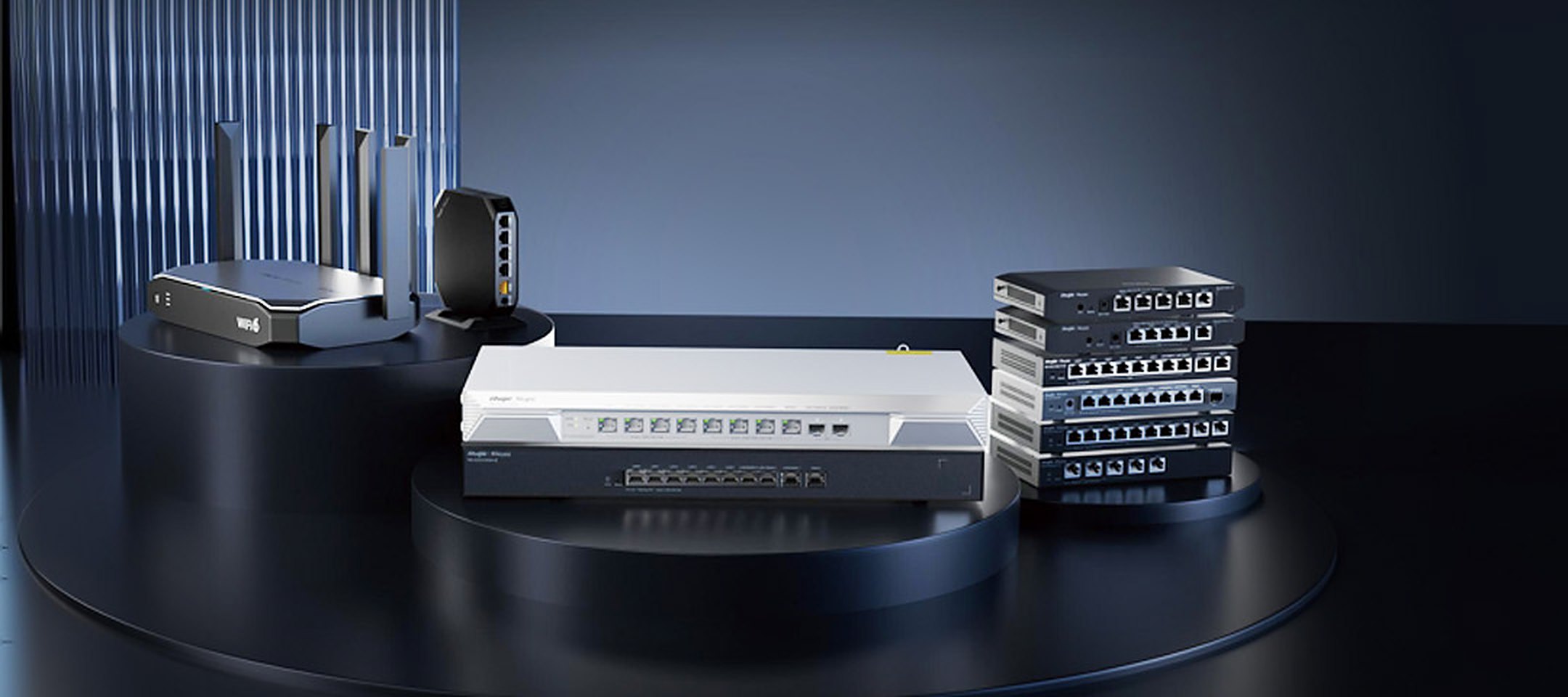
Ruijie Reyee business gateways and routers

One network, everything in the shop

Tills, kitchen, phones, cameras and your customers all lean on the same few boxes. This is how we lay them out.
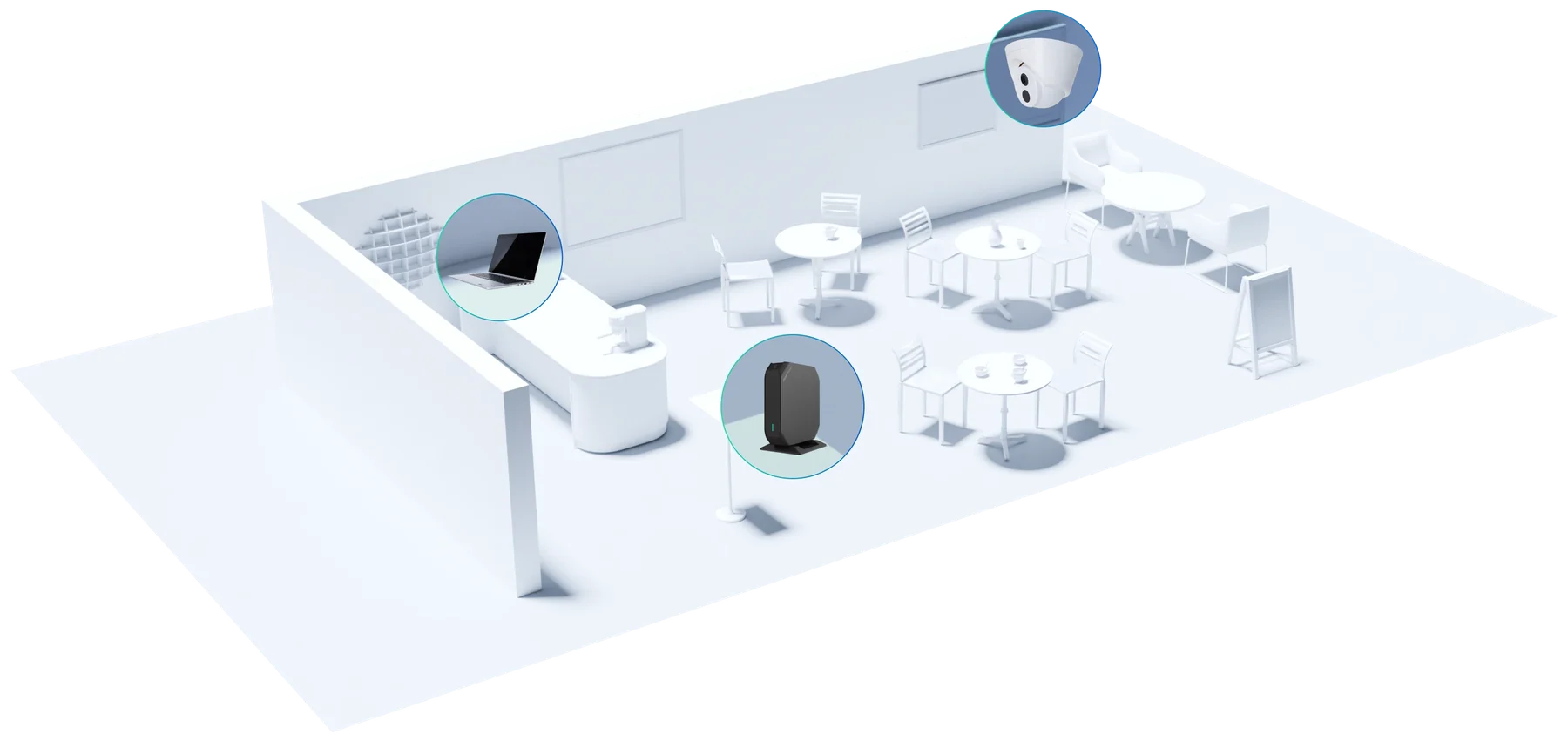
A shop with its network marked: the gateway, the counter with its POS, a staff laptop, a camera, and the seating covered by guest Wi-Fi.12345
  1. Gateway and backup linkRouter, firewall and Wi-Fi in one unit, with a 4G/5G link standing by.
  2. POS, payment terminals and kitchen printersOn their own network, first in line for bandwidth.
  3. Phones and staff devicesDesk phones, laptops and printers run over the same managed network.
  4. CamerasRecorded on a separate network and powered through the switch.
  5. Guest Wi-FiPlanned for a full room, and kept well away from the tills.

What it does for the business

For payments

Tills that stay on

Payments go first

Payment terminals and POS get priority on the line. Streaming and downloads wait their turn.

Two links, one switch-over

NBN or fibre with a 4G/5G link behind it. When the main service drops, traffic moves across by itself.

Separate networks

Payments, cameras, staff and guests each run on their own network, so guests never share one with your tills.

For guests

Wi-Fi your customers notice

Your own sign-in page

A welcome page with your logo and your terms, set up by us — nothing for you to code.

Access codes

Timed codes you can hand out with a purchase or a booking, printed or shown at the counter.

Planned for a full room

Access points placed from a site survey, for the busiest hour rather than an empty floor.

For whoever runs it

No IT person needed on site

One unit to start

A small shop runs on a single gateway. Switches and access points are added as you grow.

Alerts before you call

We see a device go offline, and can restart a camera or an access point from our desk.

Every site in one console

Settings, updates and changes for all your sites are made remotely and logged.

The line is ours to chase

We order the internet service, track the install date and lodge the faults with the carrier.

A typical setup

Most shops start with one unit. Larger venues add a switch and ceiling access points; groups repeat the same design at every site.
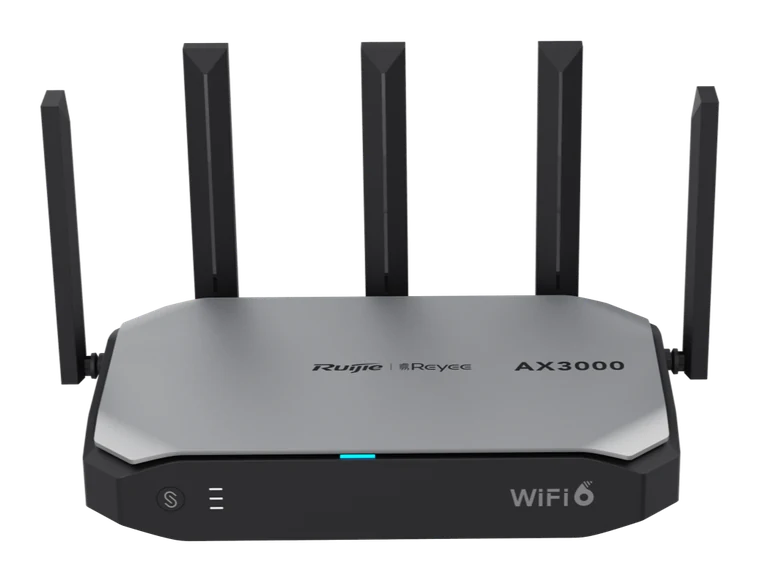
A Wi-Fi 6 business gateway with five antennas
GatewayRouter · firewall · Wi-Fi in one unitWatched from our cloud console
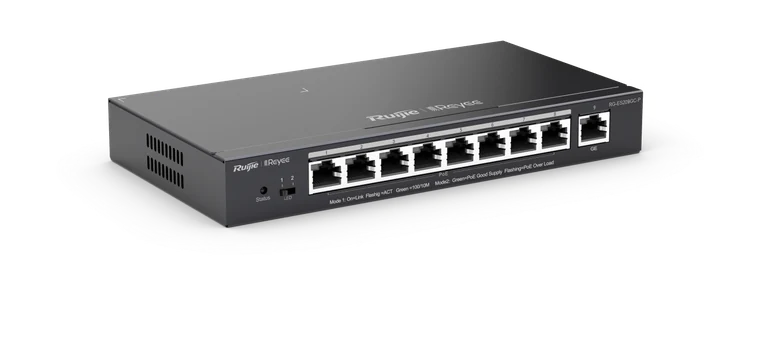
Larger sitesA nine-port PoE switch
PoE switchPowers access points, cameras and phones
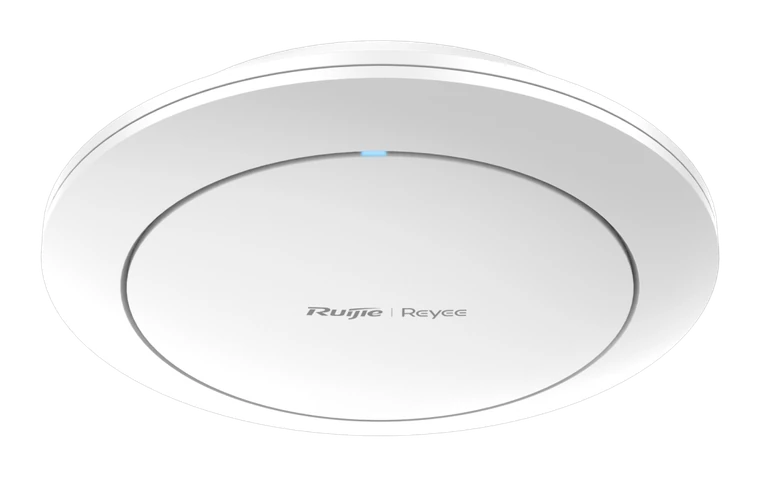
As the floor needsA round white ceiling-mounted Wi-Fi 6 access point
Ceiling access pointWi-Fi exactly where the survey says it is needed
On site
  • POS and payment terminals
  • Phones
  • Cameras
  • Kitchen screens and printers
  • Staff devices
  • Guest Wi-Fi
  1. A single shop or caféOne gateway with built-in Wi-Fi, plus the 4G/5G backup link.
  2. A larger venue or officeA gateway, a PoE switch and ceiling access points placed from the survey. Cameras and phones take their power from the switch.
  3. A group of sitesThe same design at every site, managed from one console — so the twelfth store opens the way the second one did.

Pictured: Ruijie Reyee equipment, which is what we typically install. Cisco, Ubiquiti or Fortinet are used where the site calls for it.

Our way in

Why the network has to be ours

The network is where our service starts. For every customer — a one-off install or a site we manage month to month — the internet service and the network equipment are supplied and run by us. It is not a sales rule: it is the only way the rest of what we promise can hold.

  1. Everything else rides on itPayments, POS, phones and cameras all pass through the same gateway. If we do not run it, we are guessing at every fault above it.
  2. We can only fix what we can seeOur monitoring and remote tools work through the line and the equipment we manage. On someone else’s router, a five-minute remote fix turns into a site visit.
  3. One party to callWhen the line, the router and the tills belong to three companies, an outage becomes an argument. With us it is one call, and the carrier fault is ours to chase.
  4. Payments need a network we can vouch forTerminals sit on their own network, updates are kept current and every change is logged. We can only stand behind a setup we configured ourselves.
  5. The same standard at every siteKnown equipment and a known design mean any of our engineers can pick up your site without learning it first.

Our income rides on your trading. So the part that keeps you trading has to be in our hands. See how the arrangement works

What happens when the internet drops — in 20 seconds

Business internetNBN or fibre4G/5G backupStanding byFirewall & switchOne network per systemEFTPOS & POSPayments networkWi-Fi & phonesStaff · guest · voicePrimary downOffline?Backup liveThe carrier line fails —a street fault, not your site.Backup is up in seconds.Tills keep going.PI monitoringEngineer notifiedFault logged with carrierManaged and supported by PI NETWORKA normal day: everything runs on one managed networkPayments, staff, guests and phones each on their own pathThe primary internet service dropsUsually a carrier or street fault — nothing you didThe 4G/5G backup takes over automaticallyEFTPOS, orders and phones keep working; tested at handoverOur monitoring sees the cutover and an engineer is notifiedWe log the fault with the carrier and chase itPrimary restored — you may never have noticedOne number for the lot: 03 9886 6666
  1. Normal tradingInternet, backup, firewall, Wi-Fi and phones run as one managed network.
  2. Primary link failsA carrier fault takes the main service down.
  3. Backup takes overTraffic moves to 4G/5G in seconds. Tills keep going.
  4. We see it and actMonitoring flags the cutover; an engineer logs the fault with the carrier.
  5. Restored, one teamPrimary comes back. The whole chain is supported by PI NETWORK.
20-second walk-through. Replay any time.

Who it is for

Any business where the tills, phones, cameras or bookings stop when the internet does. Most of our network work is for hospitality venues, retail stores, early-learning centres, offices and logistics sites — one location or dozens — where the same design has to be repeated and supported from one place.

What we are usually called about

  • The site goes offline and EFTPOS, orders and phones all stop at once
  • Guest Wi-Fi slows the tills, or staff devices and payment terminals share one flat network
  • Coverage dead spots in the kitchen, the yard or the back office
  • Nobody knows what the last contractor configured, and the admin password went with them
  • A new site has to open on a date and the carrier lead time was not planned for

What shapes the solution

The design depends on things we confirm before quoting:

  • The address. Which carrier services are actually available there, and their lead times, decide the primary link and whether fibre is worth the wait.
  • What rides on it. Payment terminals, cloud POS, VoIP phones and cameras each need their own network and enough bandwidth at peak.
  • The building. Wall materials, ceiling height and outdoor areas set the number and placement of access points.
  • What is already there. Sound cabling can stay. The internet service and the network equipment come to us on every job; we tell you what can be adopted and what has to be replaced.
  • Your current contracts. If you are part-way through a contract with a carrier, we plan the changeover around it.

How we deliver — or take over

Survey

Site visit, carrier availability check, Wi-Fi survey, written design.

Order

Carrier service and equipment ordered; dates set against your opening.

Install

Cabling confirmed, switch, firewall and access points installed and configured.

Test and hand over

Failover, Wi-Fi coverage and each network tested; credentials and asset list handed to you.

Taking over an existing setup

We start with a short assessment of what is installed, how it is configured and whether it is still supported. You get a written report of what can stay, what should change and the cost, then we take over administration, document it and put the site on our monitoring.

Common questions

What happens if the main internet service drops?
Traffic moves to the 4G/5G backup automatically so payments, orders and phones keep working. Our monitoring sees the cutover and we start on the primary fault.
Will the Wi-Fi cope when the site is full?
That is what the survey is for. We plan for a full room, not an empty one, and keep guest traffic on its own network so it never slows payments or the kitchen.
Can we keep our own internet provider or router?
No. On every job — a one-off install as much as a managed site — the internet service and the network equipment sit with us, because that is what lets us see a fault, fix it remotely and answer for the result. If you are part-way through a contract, we plan the changeover around it.
Do you manage all our sites centrally?
Yes. Every site we install is managed from one console and shares one support queue, which is how we keep multi-site customers to one standard.

Discuss your project

Tell us the site, what has to work and when. An engineer will come back to you within one business day.
Discuss your project