Service POS & self-ordering

POS and self-ordering that hold through the rush

Terminals, kiosks, kitchen screens and printers — on your current POS software or one we supply — installed on a store network built for peak trade and supported by the same team.
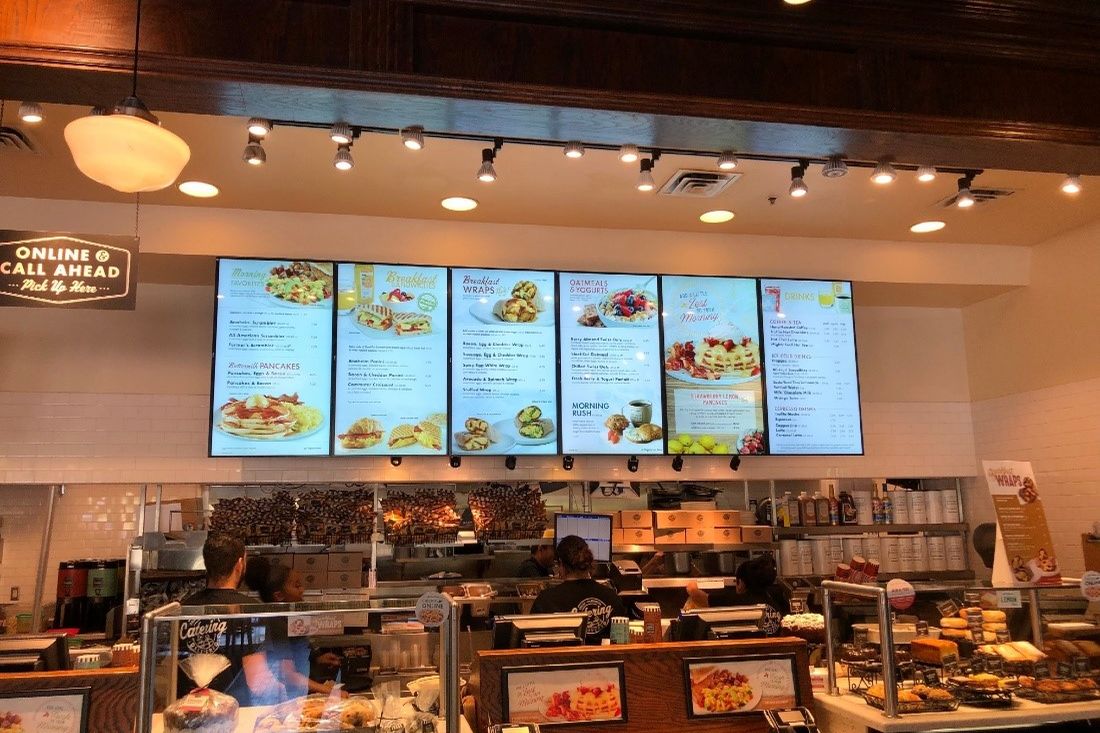
A food counter with digital menu boards

An order, from counter to kitchen to card — in 20 seconds

Counter & tablesStaff-taken ordersKiosk · QR · deliverySelf-service & appsPOSYour software or oursKitchen screenDockets at the stationEFTPOS terminalLinked to the POSOnce, to the right stationQueue movingAmount from POSFriday 7pm: the queue isout the door.Tap: amount from the POS.No re-keying, no mismatch.End of dayPOS total = EFTPOS totalOne report, reconciledManaged and supported by PI NETWORKEvery order lands in the kitchen once, at the right stationCounter, table, kiosk and delivery-app orders on one screenAt peak, kiosks and QR ordering take the pressure off the counterSame menu, same kitchen, shorter queuePayment: the terminal takes the amount from the POSNo re-keying, so the till and the terminal always agreeEnd of day reconciles to one reportPOS and EFTPOS totals match because they were never separateUnderneath: a store network built for trading hours, with backupOne number for terminals, screens and network: 03 9886 6666
  1. Orders inFrom counter, tables, kiosk and delivery apps into one POS.
  2. The rushKiosk and QR ordering keep the queue moving; the kitchen screen stays clear.
  3. PaymentEFTPOS takes the amount from the POS — nothing re-keyed.
  4. End of dayOne report; POS and terminal totals match.
  5. The network under itPayments and POS on their own network with backup, supported by PI NETWORK.
20-second walk-through. Replay any time.

Who it is for

Venues and stores where the counter is the business. Most calls are from operators opening a site, replacing hardware that keeps failing at peak, or growing to a second and third location and wanting each one to open the same way.

What we are usually called about

  • A terminal freezes or the network drops in the middle of service
  • Orders do not reach the kitchen, or reach it twice
  • Delivery-app tablets pile up on the counter and never talk to the POS
  • The POS vendor blames the network and the network vendor blames the POS
  • The next store needs the same setup and nobody wrote down what the first one has

What we provide

POS terminals and registers

Counter terminals specified and installed as one fleet, with spares and configuration documented so a replacement is a swap, not a rebuild.

Self-ordering kiosks and QR

Kiosks and table QR ordering that take pressure off the counter at peak, linked to the same menu and kitchen.

Kitchen display and printers

Kitchen screens and docket printers placed where the food is made, so orders land once and in the right station.

Delivery-app integration

Uber Eats, DoorDash and Menulog orders into the POS where your software supports it, so one screen runs the counter.

The store network underneath

Payment terminals, POS and kitchen screens on their own network with 4G/5G backup — the part most POS vendors leave to someone else.

Support after opening

One number for the terminal, the kitchen screen and the network. Most issues are diagnosed remotely; we attend when hardware has to change.

What shapes the solution

What we confirm before quoting:

  • Your POS software. Whether you keep it, and what hardware, printers and integrations it supports.
  • Service style. Counter, table, kiosk or a mix changes the hardware list and the network design.
  • Menu and kitchen layout. Stations, printers and screens follow how the kitchen actually works.
  • Payments. Which terminals and bank you use and whether they can be linked to the POS.
  • Opening date. Hardware and network lead times are built into the plan, not discovered at fit-out.

How we deliver — or take over

Scope

Menu, stations, lanes and software confirmed; hardware list and network design written.

Prepare

Hardware ordered and pre-configured; store network installed with the cabling.

Install

Terminals, kiosks, screens and printers installed and linked; payments tested end to end.

Open and support

Staff trained on the counter; we are on call for opening week.

Taking over an existing setup

If your POS software stays, we take over the hardware and the network it runs on, document the setup and coordinate with the software vendor when something crosses the line. You call us first either way.

Related project

Retail

Foodle — one standard across every store

POS, payments, Wi-Fi and CCTV installed to the same design at each grocery store, so a new store opens the way the last one did.

Summary only · full case study in preparation

Common questions

Can we keep our current POS software?
Yes. We supply, install and support the hardware and the store network, and work with your software vendor on anything that involves both.
Will it cope at peak?
The terminals sit on a network we design for trading hours, with backup internet, so the rush is what it is built for.
Can you open our next store the same way?
That is the point of documenting the first one. The same hardware list, network design and checklist is repeated at each new site.
What about EFTPOS?
Terminals link to the POS so end-of-day reconciles to one report. See the Payments page for how we compare your current payment costs.

Discuss your project

Tell us the site, what has to work and when. An engineer will come back to you within one business day.

Discuss your project